
Save time
Save clients, products, and services once. Reuse the details on your next invoice and spend more time running your business.
Turn a finished job into a professional invoice. Send it to your client, keep track of what’s owed, and get back to the work you do best.
100K+
Downloadson Google Play
From carpenters to consultants, dog walkers to designers. Smart Invoice makes it easy to create estimates, send professional invoices, and stay on top of payments.
Save clients, products, and services once. Reuse the details on your next invoice and spend more time running your business.
Send your invoice as soon as the work is done. Set clear payment terms and keep outstanding balances easy to find.
Cut down on printing and repetitive admin. Create itemized digital invoices with your products, services, taxes, and discounts.
Reach a client directly from their saved details. Keep your business contacts organized and ready for the next job.
Save PDF copies for bookkeeping and accounting. Give your clients a clear record of the work and the amount due.
Create and send invoices from your phone or tablet. Need a paper copy? Print through compatible Android print services.
Smart Invoice emphasizes simplicity.
After a one-time setup, your business details, clients, and items are ready for your next invoice. Stop piling up paperwork and get back to running your business.
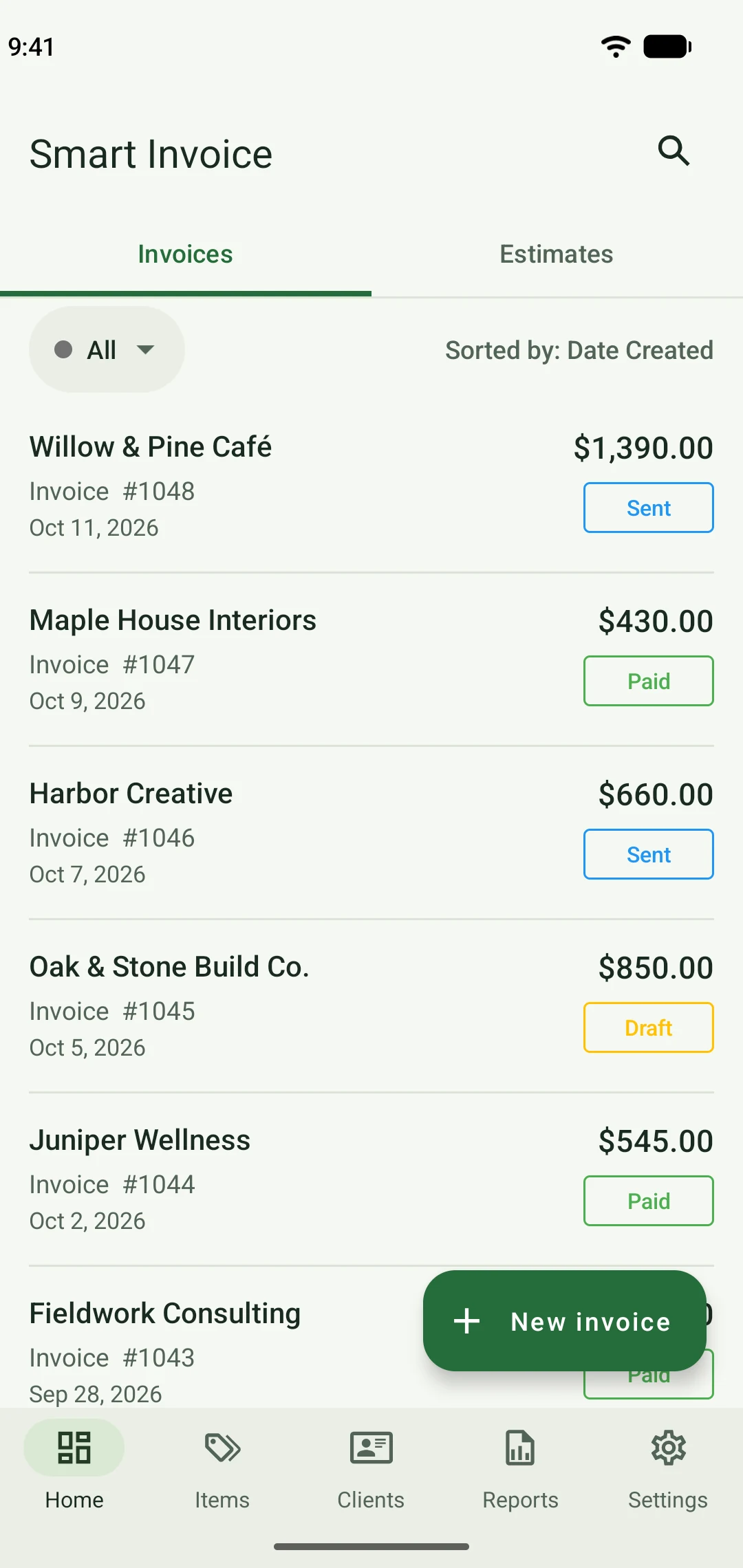
Browse, edit, and track your invoices in a clear layout. See what’s been sent, what’s been paid, and what needs your attention.
Keep a ready-to-use list of products and services. Select the work, adjust the quantity, and add it to your invoice.
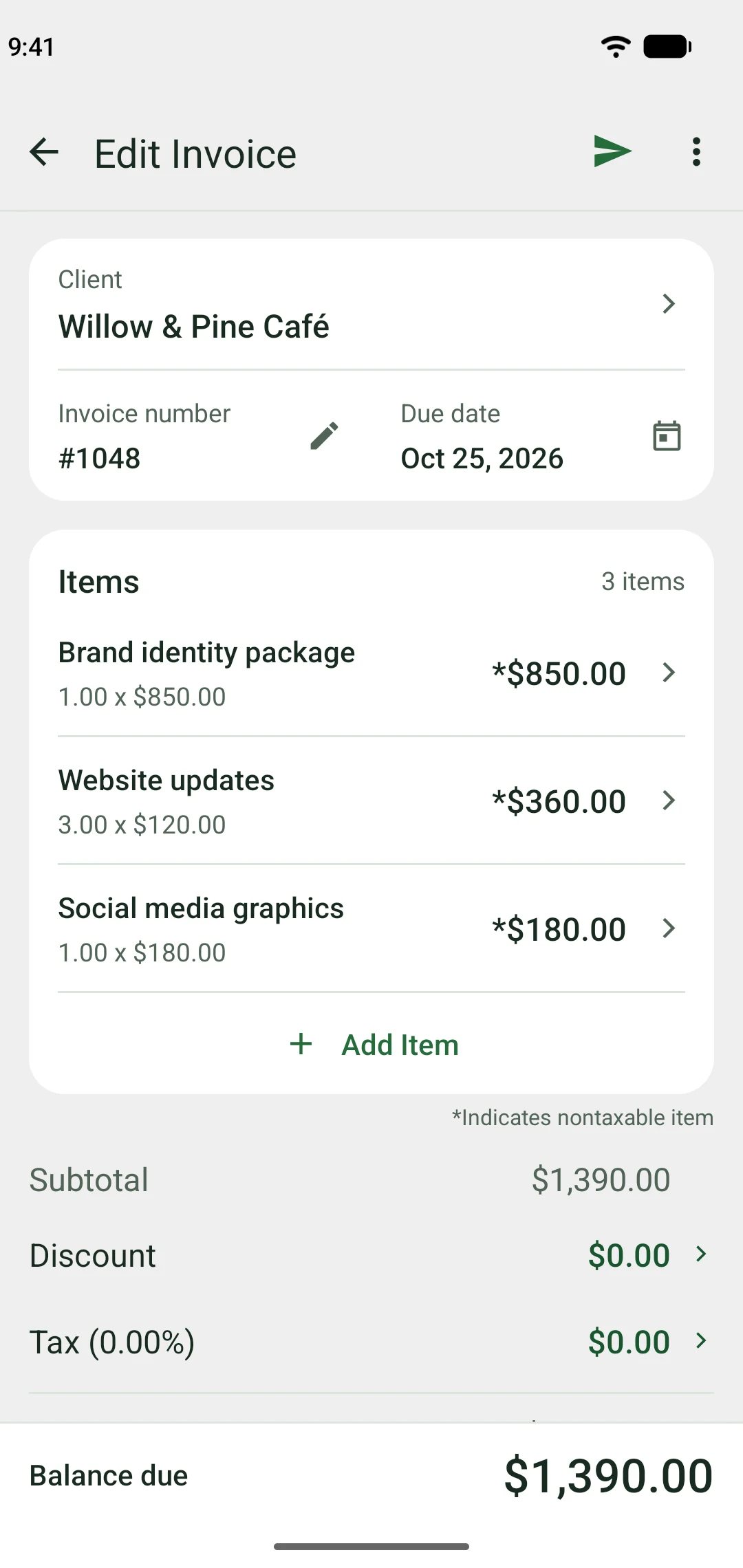
Real app screens. Select an image for a closer look.
Add your client, the work, and the details. Your invoice is ready to send.
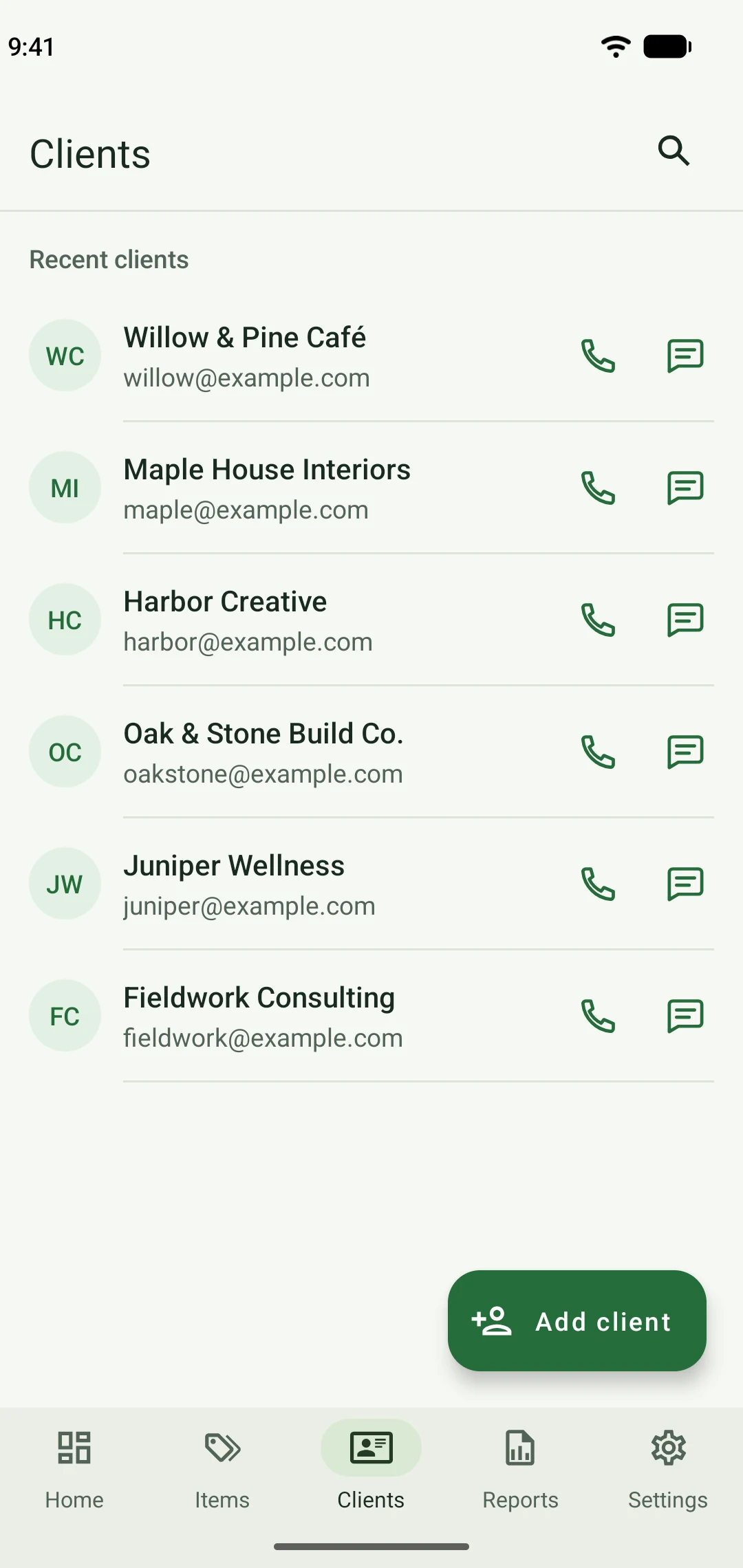
Save contact details for repeat work. Call or message when you need to.
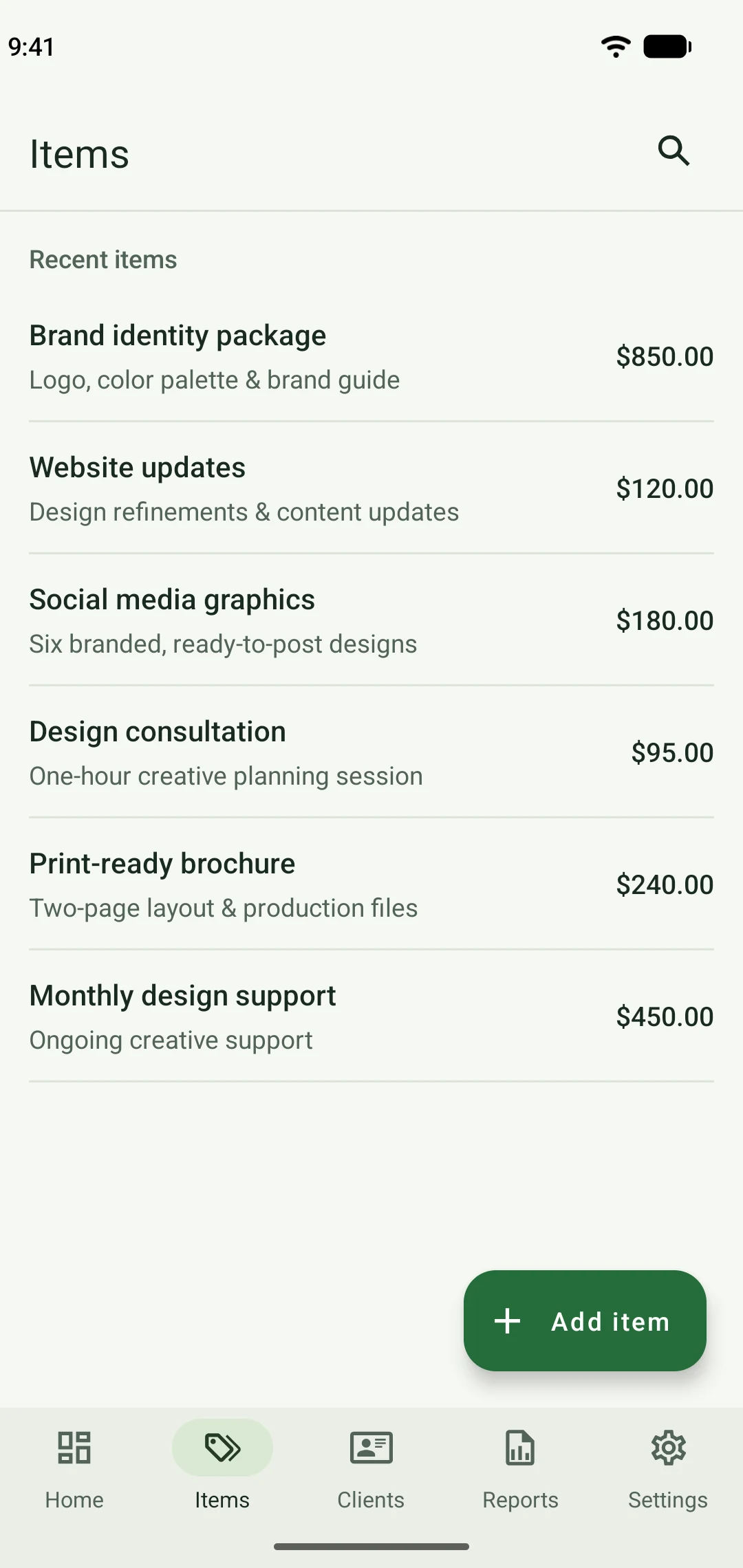
Build your item list once. Reuse it for your next project, visit, or job.
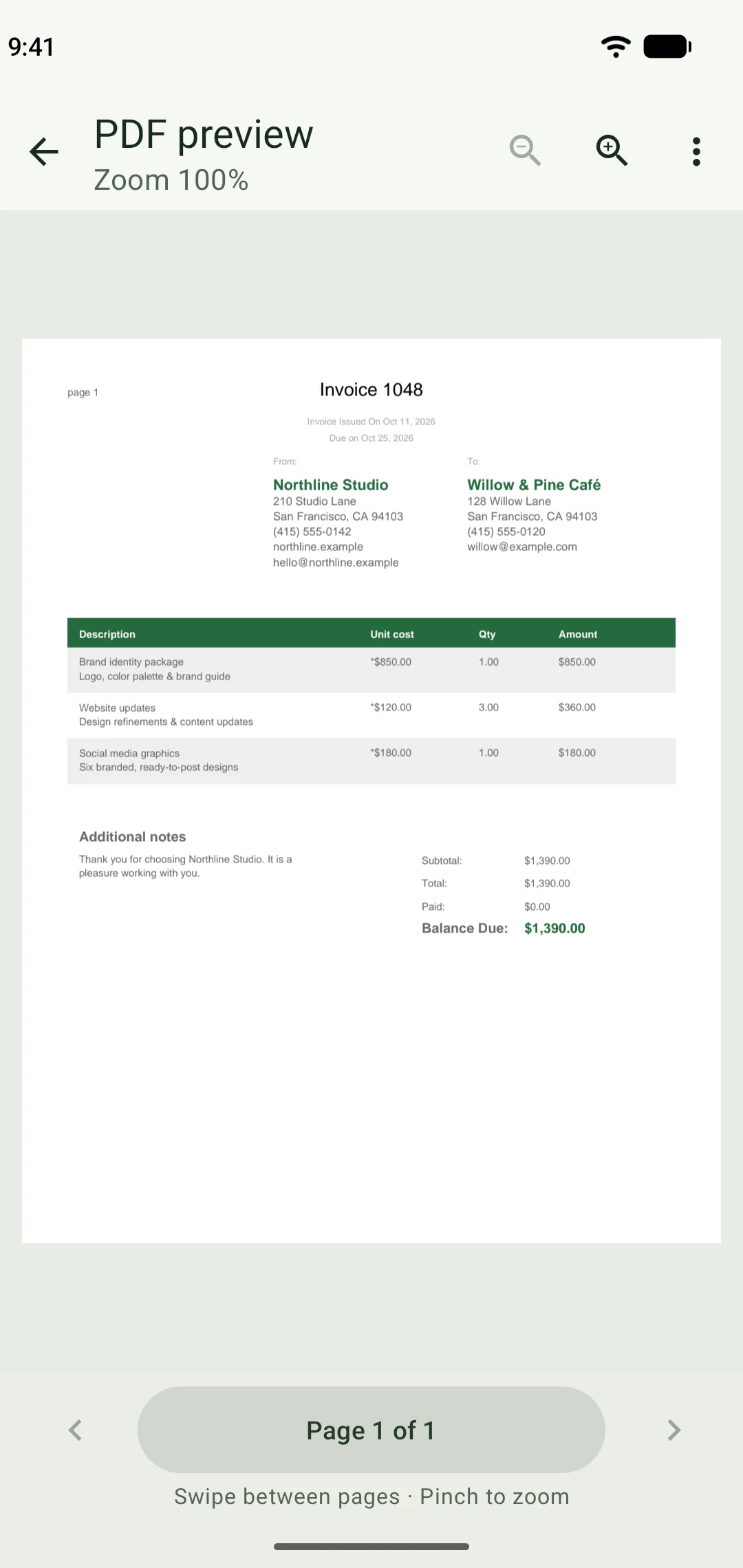
Add your business logo and details. Preview, share, or print the finished invoice.
Fictional business and client details shown for illustration.
Add your business details, choose a client, and enter the work or products you’re billing for. Smart Invoice creates a PDF you can review and send from your phone. No spreadsheet or invoice design needed.
Yes. Give your invoices a professional finish with your logo and business details. Include your bank details, set a due date, and add payment instructions in the notes so clients know how and when to pay.
No. Your clients receive a PDF they can open without Smart Invoice. Send it through your email app or a compatible messaging app, such as WhatsApp. They don’t need to create an account or learn anything new.
No. Save your clients, products, and services once, then select them for the next job. Your usual prices are ready to use; just adjust the quantities as needed. If you’re interrupted, save a draft and finish later.
Yes. Send an estimate so your client can review the work and price. When the job goes ahead, turn it into an invoice. Your client and item details carry over, ready to check and send.
Record the amount your client has paid and the payment date. Smart Invoice calculates the remaining balance, including after a deposit or partial payment. See sent, paid, and draft invoices together, so you know which clients to follow up with.
Finish the paperwork.
Get back to your day.